When an appliance starts acting strangely — a heating element that won’t turn on, a motor that runs intermittently, or a control panel with dead buttons — the issue often comes down to an electrical connection problem. And one of the most powerful tools for tracking down these problems is something most homeowners don’t even know exists: the wiring diagram.
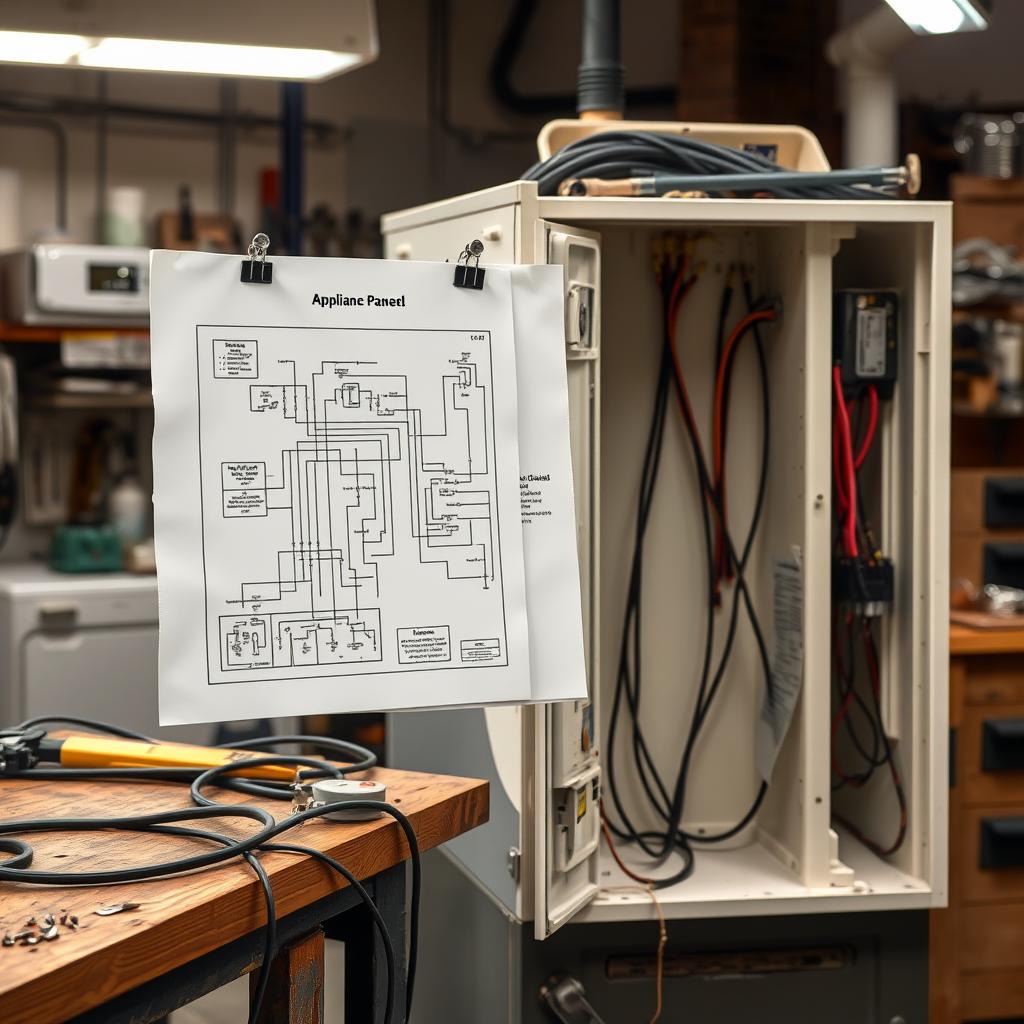
Every appliance comes with a wiring diagram, usually tucked behind an access panel or folded inside the owner’s manual. This diagram is a roadmap of every electrical connection in the machine, and learning to read it can help you diagnose issues that would otherwise be invisible. In this guide, we’ll explain what wiring diagrams are, how to read them, and how technicians use them to trace and solve connection problems.
What Is an Appliance Wiring Diagram?
A wiring diagram is a schematic illustration showing every electrical component in an appliance and how they’re connected. It uses standardized symbols to represent components like motors, switches, sensors, heaters, and the control board, with lines showing the wires that connect them.
There are typically two types of diagrams included with an appliance:
Schematic Diagram
This shows the electrical circuits in a logical, simplified layout. Components are arranged to show the flow of electricity through the system, not their physical locations in the machine. Schematic diagrams are best for understanding how the circuit works and tracing electrical paths.
Wiring Diagram (Pictorial)
This shows the components in positions that roughly correspond to their actual physical locations in the appliance, with the wires drawn to show how they’re actually routed. This type is most useful when you’re physically tracing wires inside the machine.
Where to Find the Wiring Diagram
Manufacturers include wiring diagrams in several locations:
- Inside the machine: Check behind the rear panel, inside the control panel cover, or behind the lower kick plate. Many manufacturers tape a folded diagram in a clear plastic sleeve to the inside of the cabinet.
- In the owner’s manual: Usually in the technical specifications section near the back.
- Online: Search for your appliance’s model number plus “wiring diagram.” Manufacturer support sites and appliance parts websites often have downloadable diagrams.
Understanding Wiring Diagram Symbols
Wiring diagrams use standardized electrical symbols. Here are the most common ones you’ll encounter in appliance diagrams:
- Straight lines: Represent wires. The colour of the line or a label next to it indicates the wire colour in the actual appliance.
- Zigzag line: Resistor or heating element.
- Circle with an “M”: Motor.
- Two parallel lines: Capacitor.
- Switch symbol (line with a gap): Various switches — door switches, pressure switches, temperature switches.
- Rectangle or box: Control board or relay.
- Coil symbol: Solenoid (water valve, door lock actuator).
- Thermistor symbol: Temperature sensor.
- Ground symbol (three descending lines): Connection to ground/chassis.
Wire colours are critical. The diagram will label wires with colour codes (BK for black, WH for white, RD for red, BL for blue, etc.) that match the actual wire colours in the machine. This colour coding is how you trace a specific circuit from the diagram to the physical wires.
How Technicians Use Wiring Diagrams to Solve Problems
Here’s the systematic approach that professional repair technicians use when diagnosing electrical issues with a wiring diagram:
Step 1: Identify the Symptom Circuit
Start with the symptom. If the oven’s bake element won’t heat, look at the diagram and identify all the components in the bake circuit — typically the control board, the bake relay, the oven temperature sensor, any safety thermostats, and the bake element itself, along with all the wires connecting them.
Step 2: Trace the Circuit Path
Follow the circuit on the diagram from the power source, through each component, and back to neutral or ground. Every component along this path is a potential point of failure. A break anywhere in the circuit — a burnt wire, a failed switch, a loose connector — will prevent electricity from flowing to the end component.
Step 3: Test Each Component
Using a multimeter, test each component in the circuit for continuity (is electricity able to flow through it?) and proper resistance values. The diagram often includes expected resistance values for components like heating elements and sensors.
Step 4: Check Connections
Many appliance electrical problems are caused not by failed components but by loose, corroded, or burned wire connections. Vibration over years of operation can loosen spade connectors. Heat from nearby elements can melt insulation. Moisture can corrode terminals. Follow the wire colours from the diagram to physically inspect each connection point.
Step 5: Isolate the Failure
By testing each component and connection along the circuit, you can narrow down the failure to a specific component or connection point. This precision prevents the expensive mistake of replacing a part that isn’t actually faulty.
Common Connection Problems in Appliances
Loose Spade Connectors
Spade connectors (the flat metal tabs that push onto component terminals) can work loose over time due to vibration and thermal cycling. A loose connection creates intermittent contact, causing symptoms that come and go unpredictably. The fix is simple: disconnect the connector, clean both surfaces, and use pliers to slightly crimp the connector for a tighter fit.
Burned Wire Connections
High-resistance connections generate heat. Over time, this heat can melt insulation, discolour connectors, and eventually burn through the wire entirely. You’ll usually see visible signs — blackened or melted plastic, discoloured metal, or a burnt smell. Burned connections need to be repaired or replaced, not just reconnected.
Corroded Terminals
Moisture exposure causes corrosion on electrical terminals, increasing resistance and degrading the connection. This is common in dishwashers and washing machines where water is present. Clean corroded terminals with electrical contact cleaner and fine sandpaper.
Pinched or Damaged Wires
During manufacturing, service, or appliance movement, wires can get pinched between panels, caught on sharp edges, or rubbed against moving parts. Damaged wire insulation can cause shorts, intermittent contact, or complete circuit breaks.
Safety Warnings for Electrical Work
Working with appliance electrical systems carries real risks. Follow these safety rules without exception:
- Always unplug the appliance before touching any wires. Even if you’re “just looking,” accidental contact with live wires is dangerous.
- Capacitors store charge. Some components (especially in microwave ovens, which Tech Angels does not service, and some motor start circuits) retain electrical charge even after unplugging. Know how to safely discharge capacitors before working near them.
- Never bypass safety switches. Door switches, thermal fuses, and overload protectors exist to prevent fire and injury. Never jumper across them as a “fix.”
- If you’re not comfortable, stop. There’s no shame in recognizing when a repair is beyond your skill level. Electrical mistakes can cause shock, fire, or damage to the appliance.
When to Call a Professional
Wiring diagrams are invaluable tools, but interpreting them and safely performing electrical diagnostics requires knowledge and experience. Contact a professional when:
- You can’t locate or understand the wiring diagram for your appliance.
- The problem involves the main control board or complex multi-component circuits.
- You’ve identified a burned connection and aren’t sure how to properly repair it.
- The appliance has repeated electrical failures suggesting a systemic issue.
- You’re not confident working with electrical components and a multimeter.
Tech Angels Appliance Repair technicians are trained in electrical diagnostics for all major appliance brands. We use wiring diagrams, multimeters, and manufacturer-specific tools to trace and resolve even the most complex electrical problems. Call (604) 265-3565 for expert service across the Greater Vancouver area.
Final Thoughts
Wiring diagrams might look intimidating at first glance, but they’re fundamentally just maps — maps that show you exactly how electricity flows through your appliance. Learning the basic symbols and how to trace a circuit gives you a powerful diagnostic advantage, whether you’re troubleshooting a problem yourself or providing detailed information to a repair technician.
The next time an appliance has an electrical issue, start by finding the wiring diagram. You might be surprised at how much it tells you about what’s going wrong — and how to fix it.