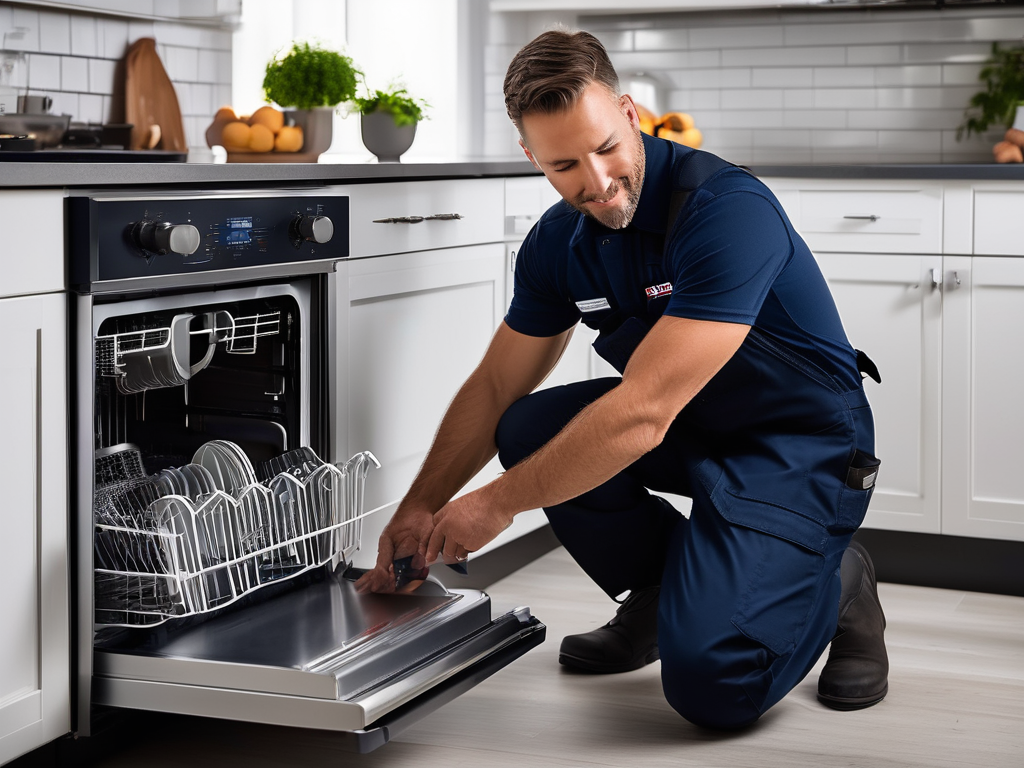
Opening your dishwasher to find a pool of dirty water at the bottom is one of those sinking-feeling household moments. A dishwasher that won’t drain properly can’t clean effectively, creates odors, and can eventually lead to leaks and water damage. Fortunately, most drainage problems have fixable causes that you can troubleshoot yourself before calling a professional.
In this guide, we’ll walk through the most common reasons your dishwasher won’t drain and how to fix each one, from the simplest checks to more involved repairs.
Check the Garbage Disposal Connection First
If your dishwasher drains through your kitchen garburator (garbage disposal), start here. A clogged disposal can prevent your dishwasher from draining because they share the same drain line. Run the disposal with water flowing for 30 seconds to clear any food buildup. If you recently installed a new disposal, check that the knockout plug in the dishwasher inlet has been removed — a common oversight that completely blocks drainage.
Clean the Dishwasher Filter
The filter at the bottom of your dishwasher is the most common cause of drainage problems. Food debris, grease, and small particles accumulate here and can completely block water flow. Remove the bottom rack, locate the filter assembly, twist it out, and clean it thoroughly under running water with a soft brush. This single step resolves the majority of dishwasher drainage issues.
Inspect the Drain Hose
The drain hose runs from the dishwasher to the garbage disposal or sink drain connection. Over time, food debris and grease can build up inside the hose, creating a blockage. Check for kinks in the hose first — the hose may have been pinched when the dishwasher was pushed back into position. If the hose appears clear externally, disconnect it (with towels ready for water) and check for internal blockage. A straightened wire hanger or pipe cleaner can help clear minor clogs.
Check the Air Gap
If your kitchen has an air gap — a small chrome cylinder mounted on the countertop near the faucet — it can become clogged and prevent drainage. Remove the cap, inspect the interior, and clean out any debris. Not all kitchens have an air gap, but if yours does, this is a common and easily overlooked cause of drainage problems.
Examine the Drain Pump
The drain pump pushes water out of the dishwasher through the drain hose. If the pump is clogged with broken glass, food debris, or a foreign object, it can’t function properly. With the filter removed, look inside the pump area for any visible obstructions. On some models, you can carefully remove debris from the pump impeller. If the pump motor itself has failed (you’ll hear humming but no drainage), the pump needs professional replacement.
Test the Drain Solenoid
Some older dishwashers use a drain solenoid to open the drain valve. If the solenoid fails electrically, the valve stays closed and water can’t leave the machine. This is a component that requires a multimeter to test and is typically replaced by a technician.
Run a Vinegar Cycle
If the dishwasher drains slowly (but does eventually drain), the issue may be partial blockages from grease and mineral buildup throughout the system. Place a cup of white vinegar on the top rack and run a hot cycle with an empty machine. The vinegar dissolves grease and calcium deposits, potentially restoring normal drainage flow.
Check for Improper Installation
The dishwasher drain hose must have a high loop — meaning it should rise to the height of the countertop before descending to the drain connection. Without this high loop (or an air gap), dirty water from the sink can backflow into the dishwasher. If your dishwasher was recently installed or moved, verify the drain hose routing.
When to Call a Professional
If you’ve cleaned the filter, checked the drain hose, cleared the air gap, and inspected the pump without finding the problem, it’s time for professional help. Persistent drainage issues can indicate a failed drain pump motor, a control board problem that’s not sending the drain signal, or a blockage deep in the plumbing. Tech Angels Appliance Repair diagnoses and fixes dishwasher drainage problems across the Greater Vancouver area. Call (604) 265-3565 for fast, expert service.
Preventing Future Drainage Problems
- Clean the filter every 1-2 weeks.
- Scrape plates before loading — remove large food particles.
- Run the garbage disposal before starting the dishwasher.
- Run a monthly vinegar cleaning cycle.
- Don’t use excessive detergent — it creates buildup.
Final Thoughts
A dishwasher that won’t drain is usually telling you one of two things: the filter needs cleaning or the drain path has a blockage. Start with the filter, work your way through the drain hose and connections, and you’ll likely find and fix the problem yourself. For anything beyond basic troubleshooting, our team is a phone call away.